


如何線上扁平化 PDF
只需幾個步驟,即可快速輕鬆編輯 PDF。
1
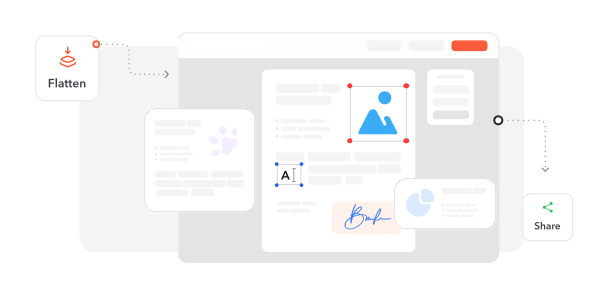
上傳 PDF 檔案. 將您的多圖層 PDF 文件匯入我們完整的扁平化工作區。
2
扁平化所有圖層. 我們的系統會自動將所有互動式元素與圖層合併為單一、統一的結構。
3
下載安全文件. 取得已扁平化的 PDF,所有元素皆永久嵌入且防篡改。
深受像您一樣的使用者信賴
看看其他使用者如何使用 Cacao Docs 扁平化 PDF。

12月15日
法律文件必備工具
非常適合用來定稿合約與法律文件。扁平化處理可確保我們的文件在簽署後無法被變更,為我們的事務所提供關鍵安全保障。


楊怡君
12月12日
專業列印解決方案
終於找到能保證一致列印結果的工具!現在我們的行銷素材無論使用哪種印表機或設定,都能完全依照設計列印。

小涵
12月14日
簡化文件工作流程
用來準備報告最終版本的優秀服務。扁平化功能可在跨不同平台與系統分享文件時,消除相容性問題。

吳詩涵
2424 人今天已產生 PDF 檔案
@jas****
1 分鐘前
@tom**
14 分鐘前
@max****
10 分鐘前
受信任並由以下保障 業界專家




為何選擇我們的工具來扁平化 PDF
防止文件遭篡改
將所有內容(包括可填寫表單、註解與互動式元素)鎖定至不可修改的單一圖層,確保文件真實性並防止未經授權的變更。
保證列印精準度
將複雜版面扁平化為穩定格式,消除列印不一致問題,讓文件在各種印表機上都能完全依照螢幕顯示重現。
通用系統相容性
將複雜的多圖層文件轉換為可在所有裝置、平台與 PDF 檢視器上一致顯示的通用檔案。
最佳化檔案效能
透過整合多個圖層來降低文件複雜度與檔案大小,縮短載入時間並提升分享效率。
強化文件安全性
永久嵌入所有視覺元素,防止內容擷取、表單操控或基於圖層的資料竊取,建立防篡改文件。
瀏覽器即時處理
透過 Cacao Docs 的網頁介面立即扁平化 PDF,無需安裝軟體,並在整個過程中完整保護文件隱私。




常見問題
快速找到關於充分運用我們工具的問題解答。